
Approve first
Review each new pitch and approve it before the first email sends. A good place to start while you get familiar with the agent.
 BOFU Content
AI BACKLINK OUTREACH AGENT
BOFU Content finds relevant websites, drafts personalized pitches, and sends outreach from your connected inbox. Let the agent handle the routine work while you focus on the conversations it starts.
Set up my outreach agent See how it works
 Review pitches first, give yourself a 24-hour review window, or enable auto-send.
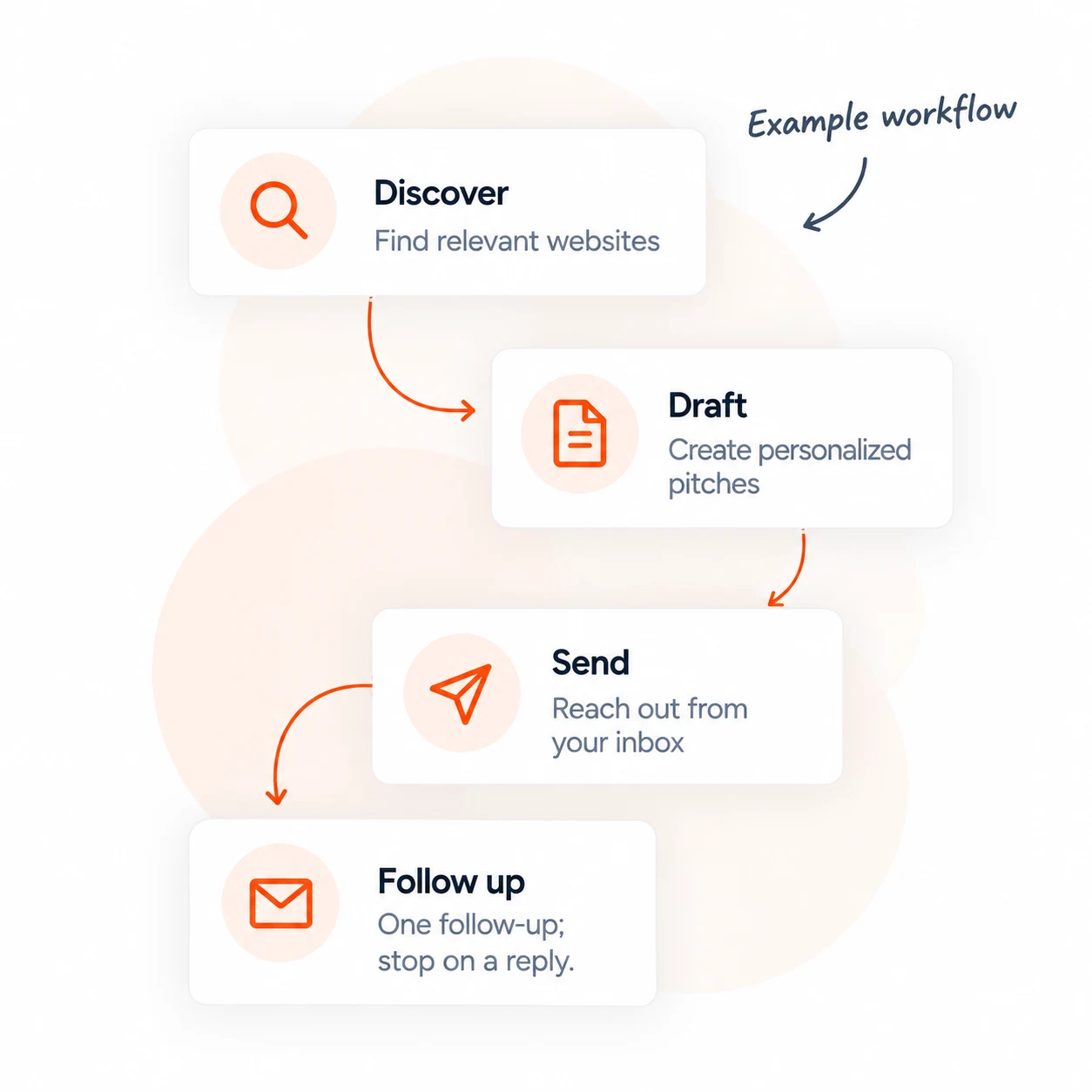
Finding a relevant site is only the beginning. You still need a contact, a pitch that fits the page, and a reminder to follow up.
BOFU Content brings those steps into one workspace. Enable automatic discovery and choose your sending mode, so outreach can keep progressing without a fresh to-do list every morning.

The agent uses keywords from your content plan to discover relevant pages and look for available contact details. Automatic discovery checks for new opportunities weekly when enabled.
Get a draft built around your business, the target topic and the prospect’s page. Review the draft before sending, or let your chosen sending mode move it forward.

Keep outreach under your own name. Choose approve-first, a 24-hour review window, or auto-send to decide how much you handle yourself.

The agent can send one follow-up after four days. When a reply is detected through your connected inbox, the pending follow-up stops.
Start with the control you need. Change your sending preference as you go.
Review each new pitch and approve it before the first email sends. A good place to start while you get familiar with the agent.

Give yourself time to review. Drafted pitches become eligible to send after 24 hours unless you dismiss them.
Let drafted pitches send automatically, subject to your sending setup and daily limits.

Give BOFU Content the topics it needs to find relevant outreach opportunities.
Set up sending from your own address. Connect compatible inbox access for reply tracking.

Review pitches first or enable automatic sending. Turn on weekly discovery to keep looking for new opportunities.
Backlink outreach is part of BOFU Content’s wider SEO platform. Plan your topics, create articles and manage outreach in the same workspace.
Use the agent to handle prospect research, pitch drafting and follow-up. Spend your attention on the replies and relationships that need you.
Compare BOFU Content plans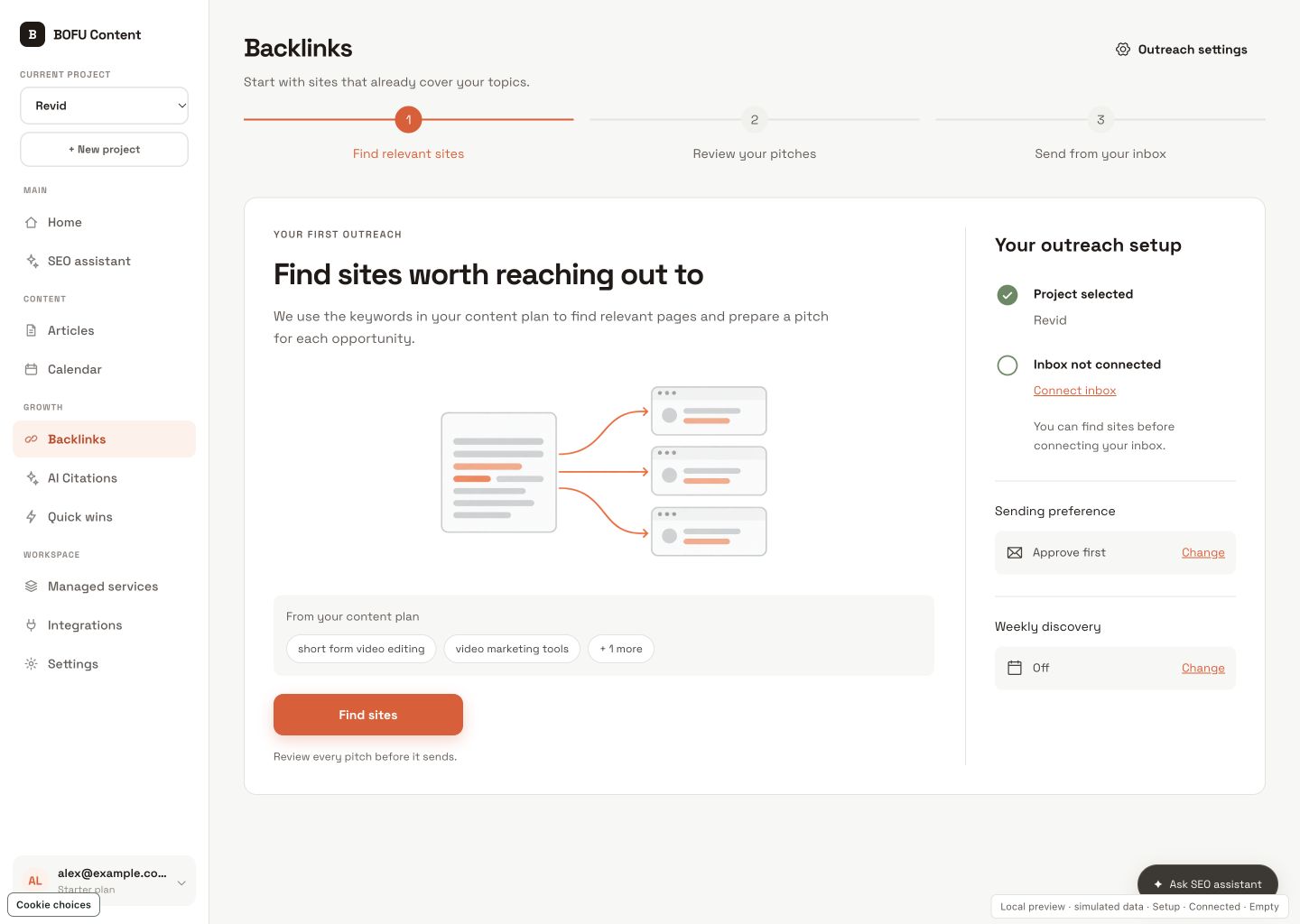
What to expect from your agent, from the first pitch to the follow-up.
An AI backlink outreach agent helps find relevant websites, prepare personalized pitches and manage outreach follow-ups. BOFU Content combines those tasks with configurable sending modes and reply tracking, so you can automate routine work while deciding how much review each pitch needs.
Yes. Choose auto-send to let drafted pitches send automatically, or use a 24-hour review window before sending. Approve-first mode waits for your approval of each initial pitch. Sending requires a configured inbox or sending service and remains subject to daily limits.
Add your website, create a content plan and connect your outreach inbox. The agent uses your plan’s keywords to find relevant pages. A compatible mailbox connection enables reply tracking.
Automatic discovery runs on a weekly schedule when enabled for an active project. The websites it finds depend on your content-plan keywords and available search results.
With compatible inbox access configured, BOFU Content checks for replies and updates the opportunity’s status. A detected reply prevents the pending automatic follow-up. You handle the conversation from there.
One automatic follow-up can be sent after four days if the opportunity is still awaiting a reply. Sending limits and scheduled processing can affect the exact send time.
No. The agent helps you find opportunities and run outreach. Publishers decide whether to reply or add a link. Placements, rankings and traffic gains are not guaranteed.
No. Backlink outreach is a feature within BOFU Content, alongside content planning, article creation and publishing. Compare the available plans before choosing your subscription.
Set up your agent, choose your sending mode, and let BOFU Content handle the routine work of finding sites, drafting pitches and following up.
Set up my outreach agentStart with approve-first. Enable auto-send when you’re ready.